> ## Documentation Index
> Fetch the complete documentation index at: https://docs.openpipe.ai/llms.txt
> Use this file to discover all available pages before exploring further.
# Fine-Tuning Quick Start
> Train your first fine-tuned model with OpenPipe.
Fine-tuning open and closed models with custom hyperparameters only takes a few clicks.
Before you begin: Before training your first model, make sure you've [created a
dataset](/features/datasets/quick-start) and imported at least 10 training entries.
### Training a Model
To train a model, navigate to the dataset you'd like to train your model on. Click the **Fine Tune** button in the top right corner of the **General** tab.
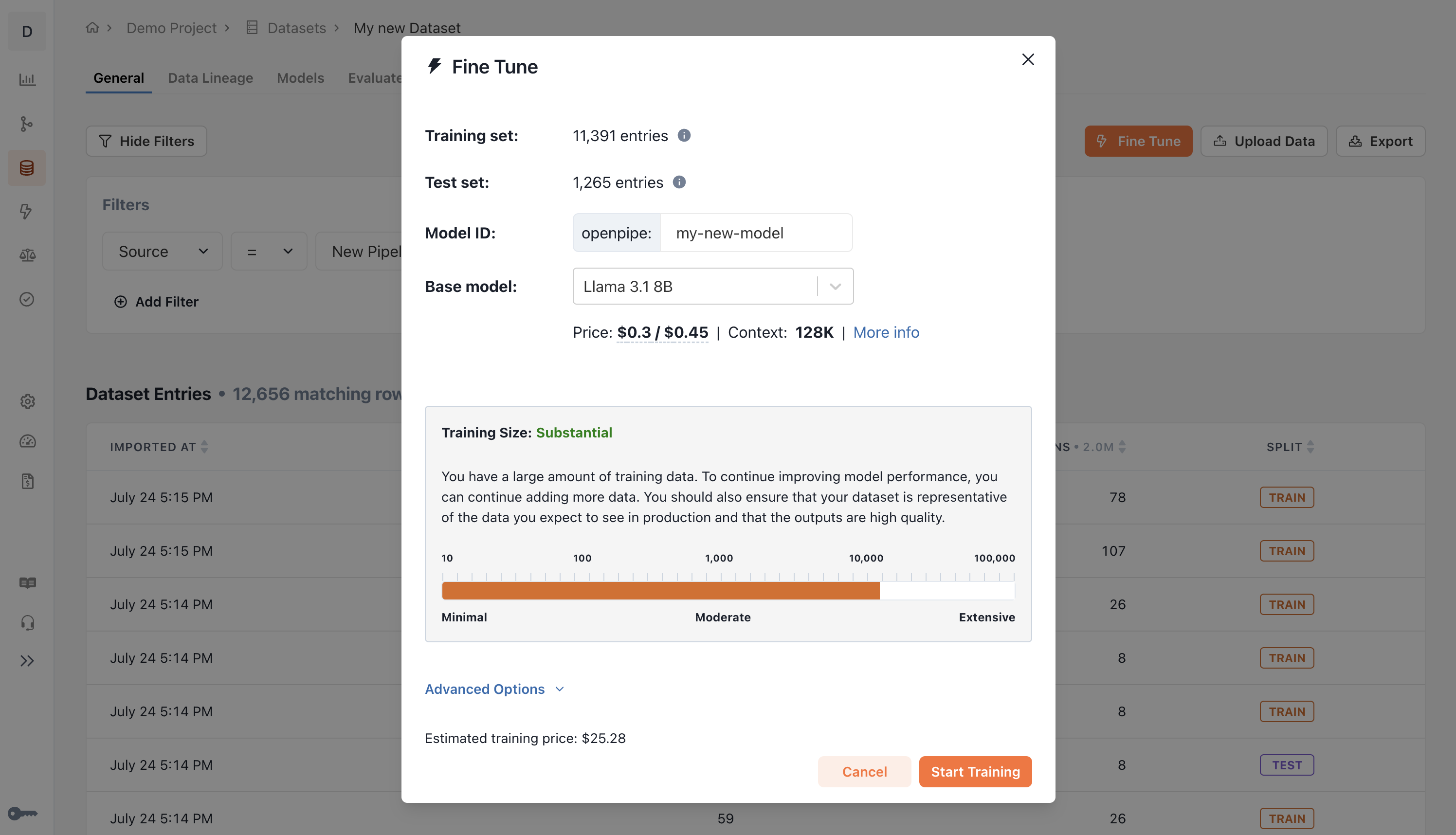 Choose a descriptive name for your new model. This name will be used as the `model` parameter when querying it in code.
You can always rename your model later.
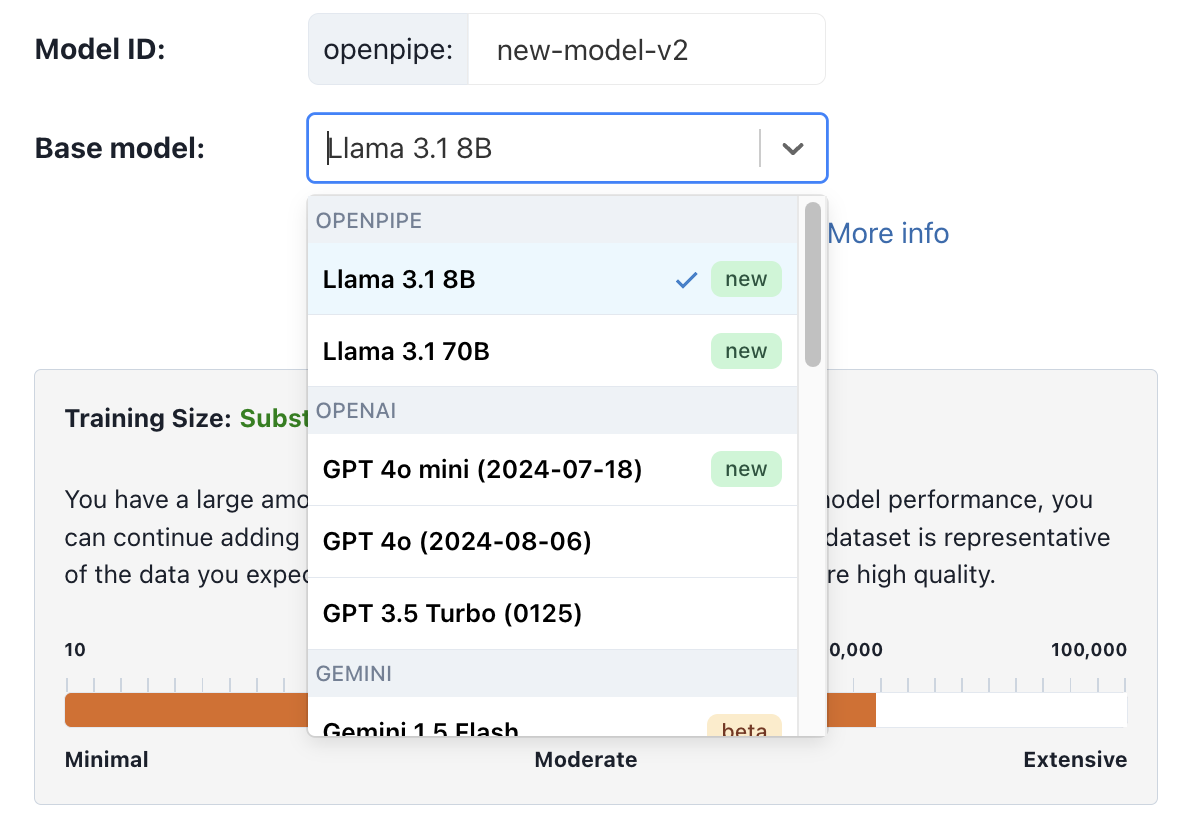
Select the base model you'd like to fine-tune on. We recommend starting with Llama 3.1 8B if you aren't sure which to choose.
Choose a descriptive name for your new model. This name will be used as the `model` parameter when querying it in code.
You can always rename your model later.
Select the base model you'd like to fine-tune on. We recommend starting with Llama 3.1 8B if you aren't sure which to choose.
 Under **Advanced Options**, you can optionally adjust the hyperparameters to fine-tune your model.
You can leave these at their default values if you aren't sure which to choose.
Under **Advanced Options**, you can optionally adjust the hyperparameters to fine-tune your model.
You can leave these at their default values if you aren't sure which to choose.
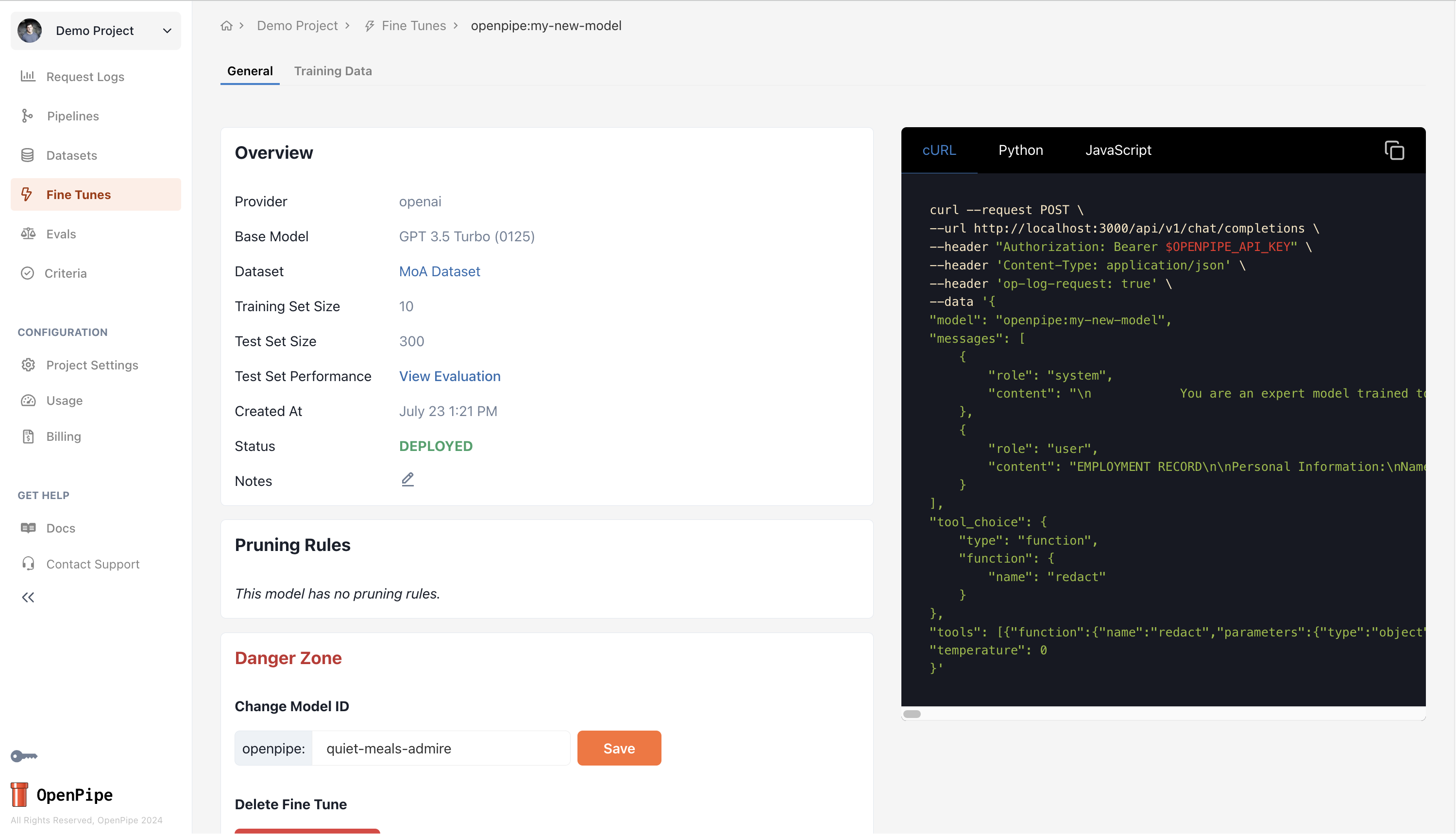
 Click **Start Training** to begin the training process.
The training job may take a few minutes or a few hours to complete, depending on the amount of training data, the base model, and the hyperparameters you choose.
Click **Start Training** to begin the training process.
The training job may take a few minutes or a few hours to complete, depending on the amount of training data, the base model, and the hyperparameters you choose.
 To learn more about fine-tuning through the webapp, check out the [Fine-Tuning via Webapp](/features/fine-tuning/overview) page.
To learn about fine-tuning via API, see our [Fine Tuning via API](/api-reference/fine-tuning) page.
To learn more about fine-tuning through the webapp, check out the [Fine-Tuning via Webapp](/features/fine-tuning/overview) page.
To learn about fine-tuning via API, see our [Fine Tuning via API](/api-reference/fine-tuning) page.