> ## Documentation Index
> Fetch the complete documentation index at: https://docs.openpipe.ai/llms.txt
> Use this file to discover all available pages before exploring further.
# External Models
Before defining a custom external model provider, check your project settings to see if the
provider you're looking for is already supported.
To use a custom external model from a cloud provider that OpenPipe doesn't support, you can add an external model provider to your project. External models can be used for the following purposes:
* [Proxying chat completions](/features/chat-completions/external-models)
* [Filtering and relabeling your data](/features/evaluations/head-to-head)
* [Evaluating outputs through criteria](/features/criteria/quick-start)
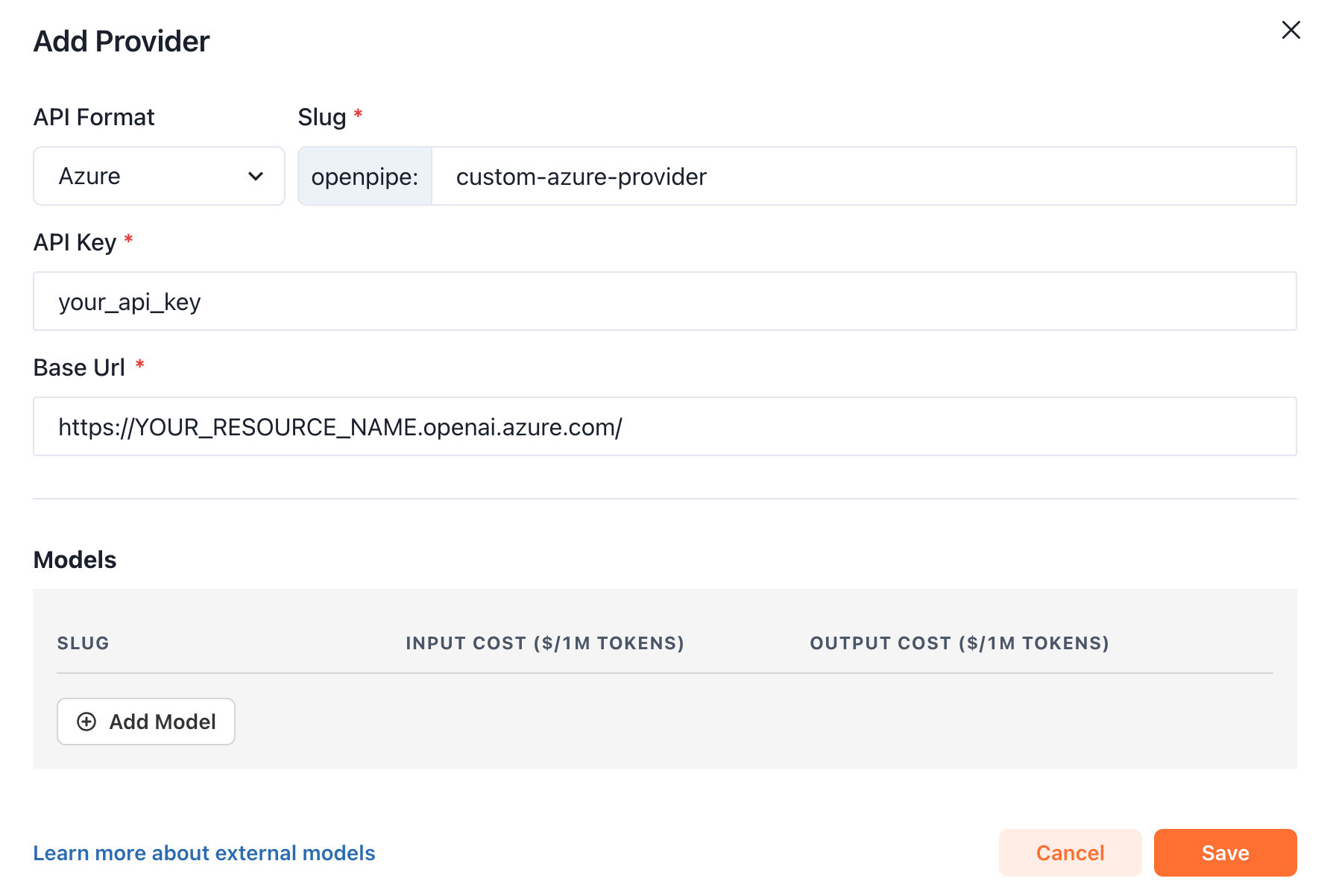
The instructions below demonstrate how to add a DeepSeek (OpenAI Compatible) and Azure provider to your project.
### Creating an external model provider
Find the **External Model Providers** section of your project settings, and click the **Add Provider** button.
 Give your custom provider a slug, API key, and add a custom base url if necessary. The provider slug should be unique,
and will be used when we proxy requests to models associated with this provider.
Give your custom provider a slug, API key, and add a custom base url if necessary. The provider slug should be unique,
and will be used when we proxy requests to models associated with this provider.

 ### Adding a model to the external provider
To add a model to the provider you're creating, click the Add Model button.
### Adding a model to the external provider
To add a model to the provider you're creating, click the Add Model button.
 Provide a slug that matches the model you'd like to call on your external provider. To call gpt-4o-2024-08-06 on Azure for instance, the slug should be `gpt-4o-2024-08-06`.

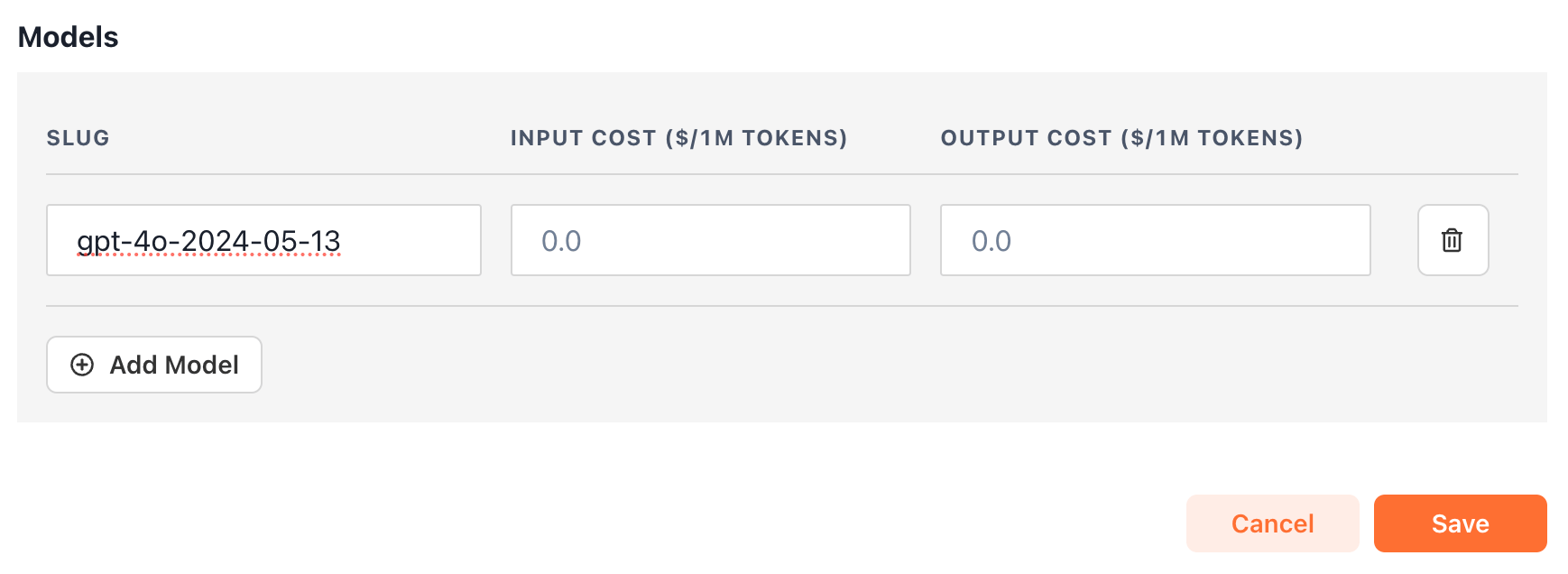 Setting input cost and output cost is optional, but can be helpful for showing relative costs in the [evals](/features/evaluations) page.
We currently support custom external
models for providers with openai and azure-compatible endpoints. If you'd like support for an external provider with a different API format, send a request to [hello@openpipe.ai](mailto:hello@openpipe.ai).
Setting input cost and output cost is optional, but can be helpful for showing relative costs in the [evals](/features/evaluations) page.
We currently support custom external
models for providers with openai and azure-compatible endpoints. If you'd like support for an external provider with a different API format, send a request to [hello@openpipe.ai](mailto:hello@openpipe.ai).