> ## Documentation Index
> Fetch the complete documentation index at: https://docs.openpipe.ai/llms.txt
> Use this file to discover all available pages before exploring further.
# Evaluations Quick Start
> Create your first head to head evaluation.
In this quick start guide, we'll walk you through creating your first head-to-head evaluation. Head to head evaluations allow you to compare two or more models
using an LLM judge that compares outputs against one another based on custom instructions.
Before you begin: Before writing your first eval, make sure you've [created a
dataset](/features/datasets/quick-start) with one or more test entries. Also, make sure to add
your OpenAI or Anthropic API key in your project settings page to allow the judge LLM to run.
### Writing an Evaluation
To create an eval, navigate to the dataset with the test entries you'd like to evaluate your models based on.
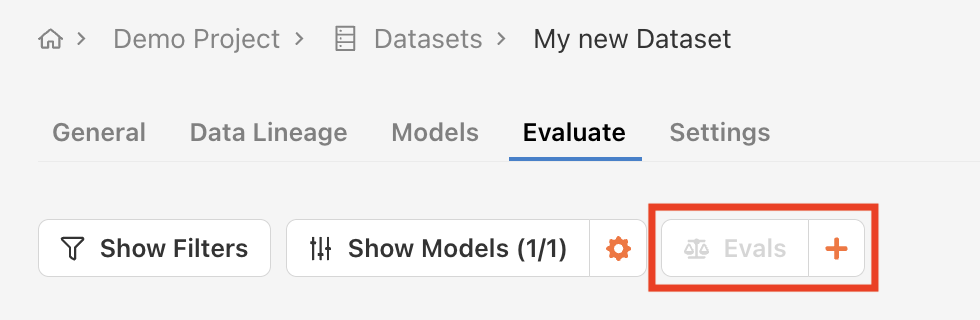
Find the **Evaluate** tab and click the **+** button to the right of the **Evals** dropdown list.
 A configuration modal will appear.
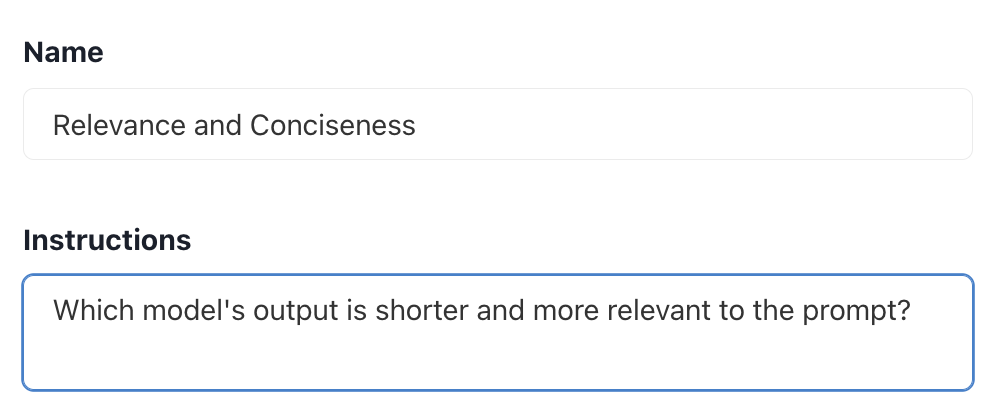
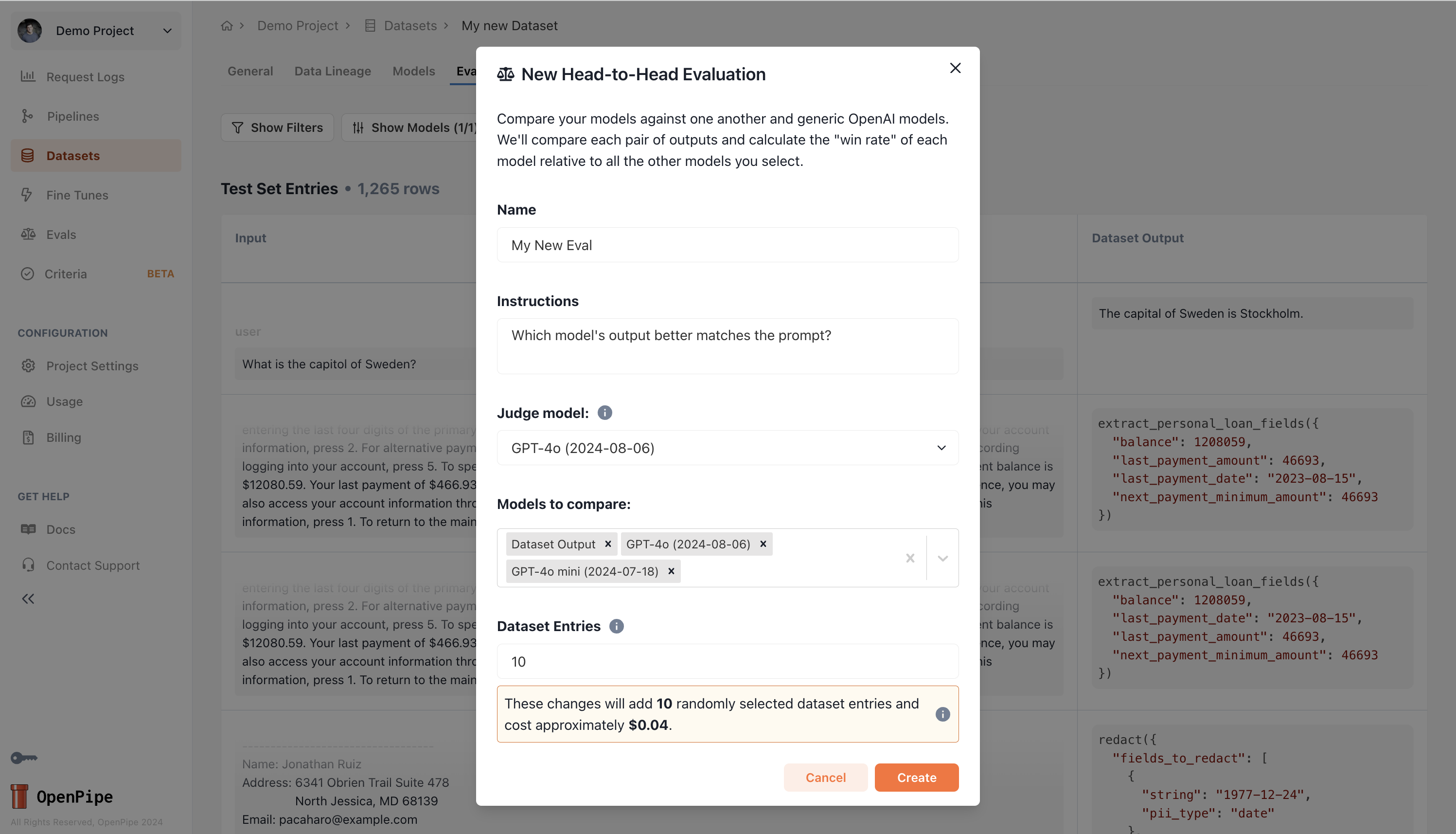 Customize the judge LLM instructions. The outputs of each model will be compared against one another
pairwise and a score of WIN, LOSS, or TIE will be assigned to each model's based on the judge's instructions.
Customize the judge LLM instructions. The outputs of each model will be compared against one another
pairwise and a score of WIN, LOSS, or TIE will be assigned to each model's based on the judge's instructions.
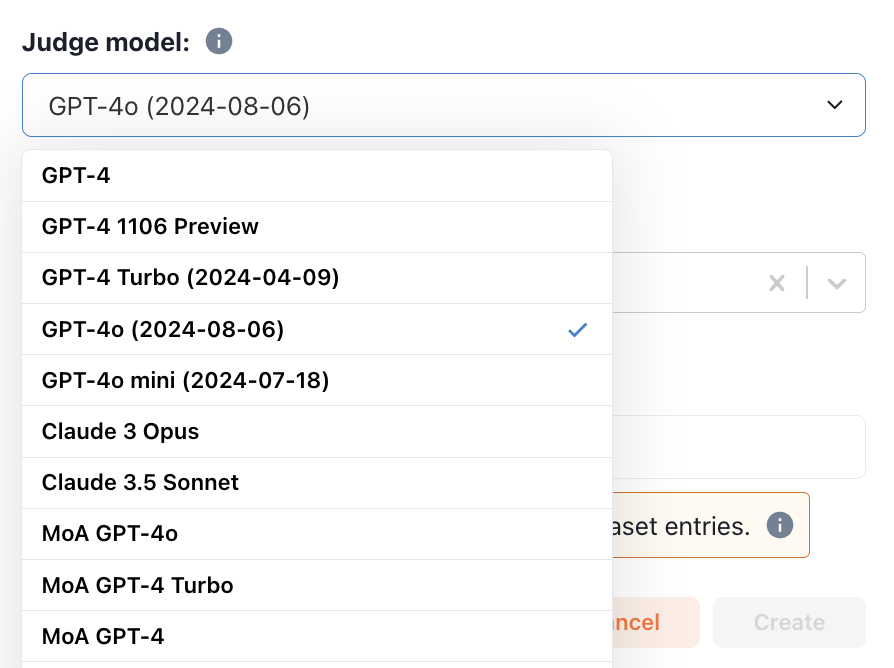
 Choose a judge model from the dropdown list. If you'd like to use a judge model that isn't supported by default,
add it as an [external model](/features/chat-completions/external-models) in your project settings page.
Choose a judge model from the dropdown list. If you'd like to use a judge model that isn't supported by default,
add it as an [external model](/features/chat-completions/external-models) in your project settings page.
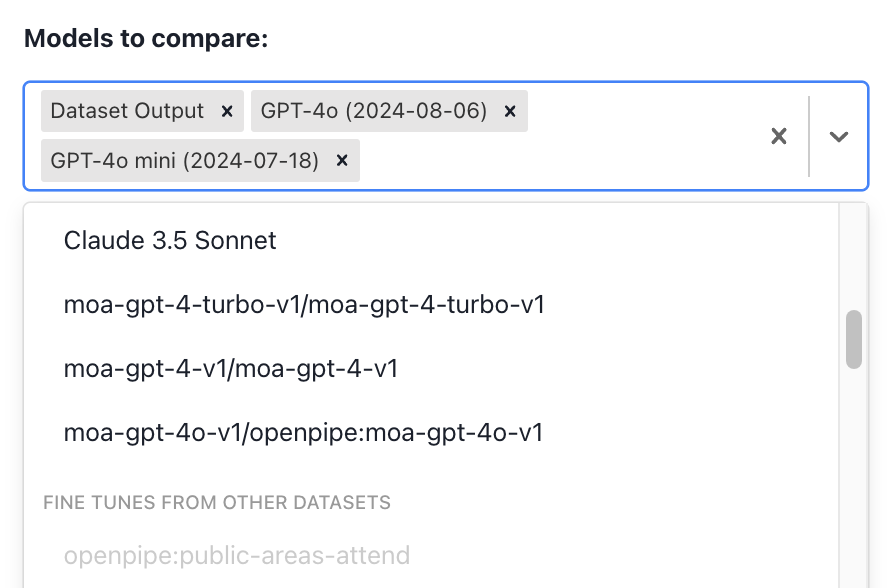
 Choose the models you'd like to evaluate against one another.
 Click **Create** to start running the eval.
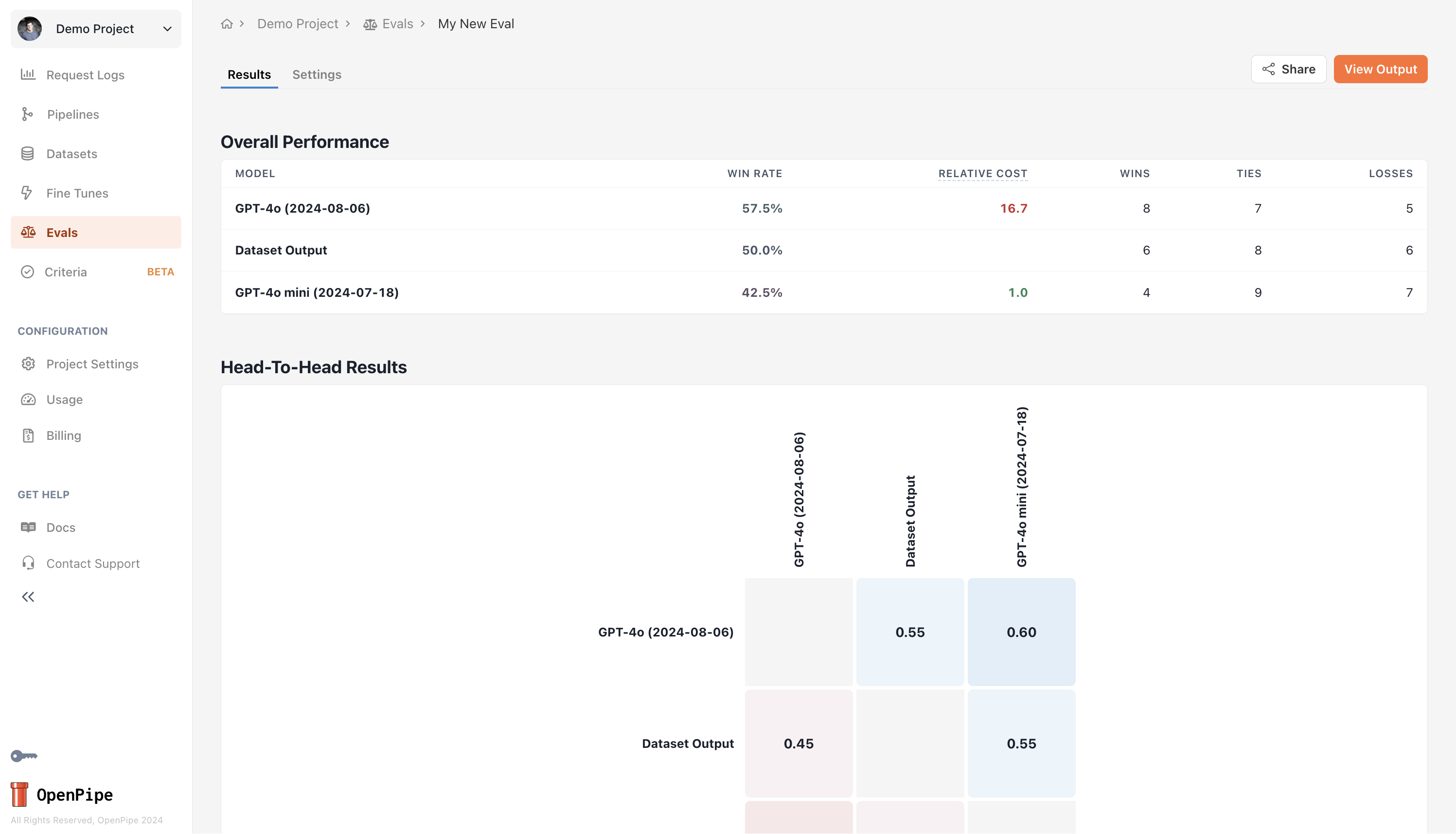
Once the eval is complete, you can see model performance in the evaluation's **Results** tab.
Click **Create** to start running the eval.
Once the eval is complete, you can see model performance in the evaluation's **Results** tab.
 To learn more about customizing the judge LLM instructions and viewing evaluation judgements in greater detail,
see the [Head-to-Head Evaluations](/features/evaluations/head-to-head) page.
To learn more about customizing the judge LLM instructions and viewing evaluation judgements in greater detail,
see the [Head-to-Head Evaluations](/features/evaluations/head-to-head) page.