> ## Documentation Index
> Fetch the complete documentation index at: https://docs.openpipe.ai/llms.txt
> Use this file to discover all available pages before exploring further.
# Code Evaluations
> Write custom code to evaluate your LLM outputs.
Code evaluations are not a good match for all tasks. They work well for deterministic tasks like
classification or information extraction, but not for tasks that produce freeform outputs like
chatbots or summarization. To evaluate tasks with freeform outputs, please consider [criterion
evaluations](/features/evaluations/criterion).
The code evaluation framework provides greater flexibility than built-in head-to-head and criterion evaluations, allowing you to grade your LLM outputs on whatever metrics you define.
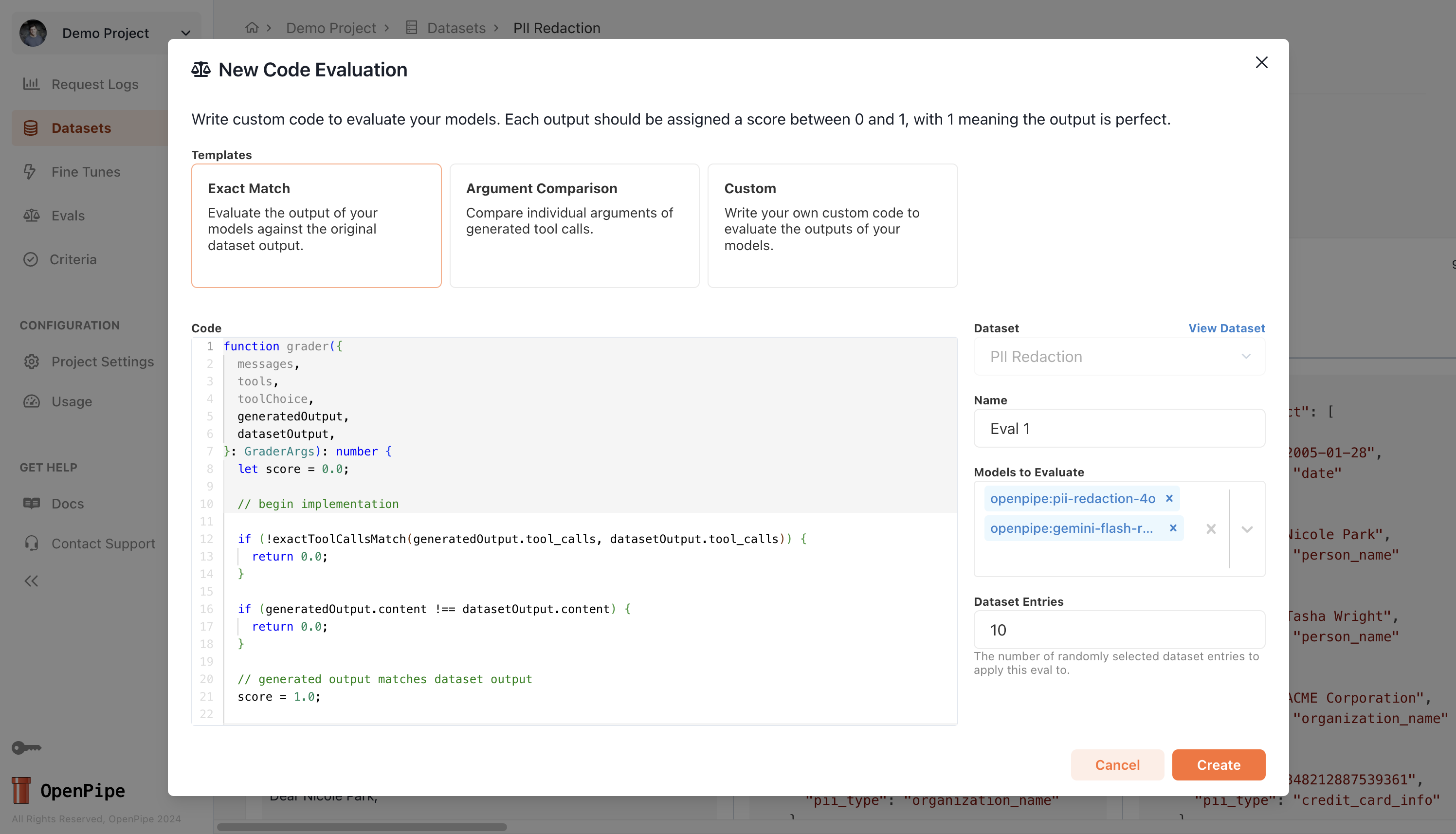
Each code eval consists of a templated `grader` function that you can customize. Here's the basic structure:
```typescript theme={null}
function grader({
messages,
tools,
toolChoice,
generatedOutput,
datasetOutput,
}: GraderArgs): number {
let score = 0.0;
// begin implementation
score = 1.0;
// end implementation
return score;
}
...
```
As you can see, the `grader` function takes in a number of arguments and returns a score between 0 and 1, where 1 means the generated output is perfect. The available arguments are:
* `messages`: The messages sent to the LLM.
* `tools`: The tools available to the LLM.
* `toolChoice`: The tool choice specified for the LLM.
* `generatedOutput`: The output generated by the LLM which is being evaluated.
* `datasetOutput`: The original dataset output associated with the row being evaluated.
The grader you define can use any of the above arguments, but most often you'll want to use `generatedOutput` and `datasetOutput` to compare the output of the LLM to the dataset output.
To get a better idea of what kinds of checks can be performed through a code evaluation, you can check out the **Exact Match** or **Argument Comparison** templates below.
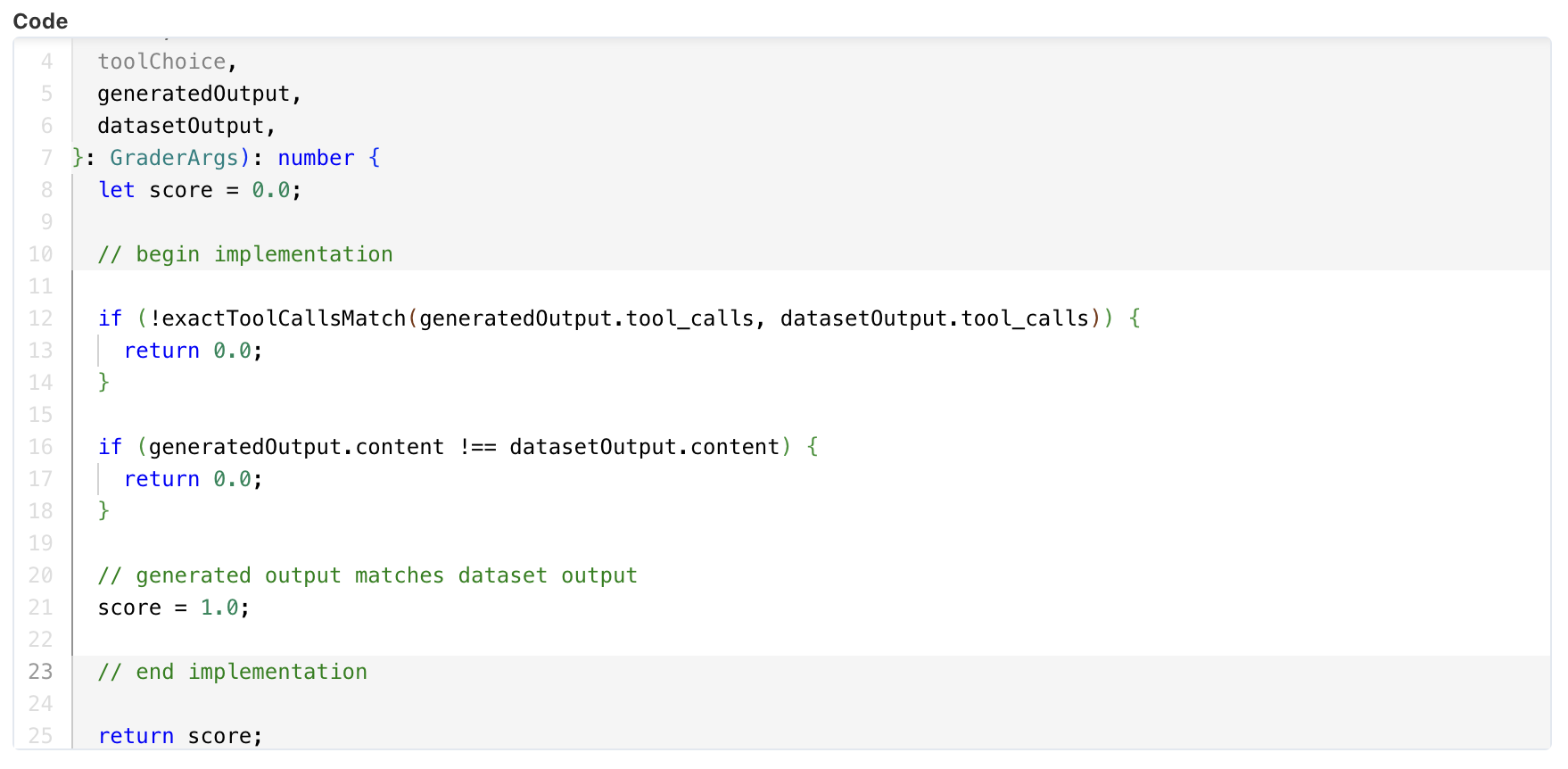
The **Exact Match** template checks if the generated output matches the dataset output exactly, meaning that the content and tool calls must match exactly.
```typescript theme={null}
function grader({
messages,
tools,
toolChoice,
generatedOutput,
datasetOutput,
}: GraderArgs): number {
let score = 0.0;
// begin implementation
if (!exactToolCallsMatch(generatedOutput.tool_calls, datasetOutput.tool_calls)) {
return 0.0;
}
if (generatedOutput.content !== datasetOutput.content) {
return 0.0;
}
// generated output matches dataset output
score = 1.0;
// end implementation
return score;
}
interface GraderArgs {
messages: ChatCompletionMessageParam;
tools: ChatCompletionTool[] | null;
toolChoice: "none" | "auto" | ChatCompletionNamedToolChoice | null;
generatedOutput: ChatCompletionMessage;
datasetOutput: ChatCompletionMessage;
}
interface ChatCompletionMessageToolCallFunction {
name: string;
arguments: string;
}
interface ChatCompletionMessageToolCall {
function: ChatCompletionMessageToolCallFunction;
}
interface ChatCompletionMessage {
content: string | null;
refusal: string | null;
tool_calls: ChatCompletionMessageToolCall[] | null;
}
type ChatCompletionMessageParam = ChatCompletionMessage;
interface ChatCompletionTool {
function: FunctionDefinition;
type: "function";
}
interface FunctionDefinition {
name: string;
description?: string;
parameters?: Record;
}
export interface ChatCompletionNamedToolChoice {
function: Function;
type: "function";
}
interface Function {
name: string;
}
function exactToolCallsMatch(
toolCalls1: ChatCompletionMessageToolCall[] | null,
toolCalls2: ChatCompletionMessageToolCall[] | null,
): boolean {
// If either list is null, they can only match if both are null
if (!toolCalls1 && !toolCalls2) {
return true;
}
if (!toolCalls1 || !toolCalls2) {
return false;
}
// Check if lengths match
if (toolCalls1.length !== toolCalls2.length) {
return false;
}
// Compare each tool call
for (let i = 0; i < toolCalls1.length; i++) {
const call1 = toolCalls1[i];
const call2 = toolCalls2[i];
// Compare all fields that must match exactly
if (
call1?.function.name !== call2?.function.name ||
call1?.function.arguments !== call2?.function.arguments
) {
return false;
}
}
// If we made it through all comparisons, the calls match exactly
return true;
}
```
The **Argument Comparison** template provides an example of how you can check whether a specific argument in the tool call generated by the LLM matches the dataset output.
```typescript theme={null}
function grader({
messages,
tools,
toolChoice,
generatedOutput,
datasetOutput,
}: GraderArgs): number {
let score = 0.0;
// begin implementation
const generatedToolCallArgsStr = generatedOutput.tool_calls?.[0]?.function.arguments;
const datasetToolCallArgsStr = datasetOutput.tool_calls?.[0]?.function.arguments;
if (!generatedToolCallArgsStr || !datasetToolCallArgsStr) {
return 0.0;
}
type JudgementArgs = {
explanation: string;
score: number;
};
const generatedToolCallArgs = JSON.parse(generatedToolCallArgsStr) as JudgementArgs;
const datasetToolCallArgs = JSON.parse(datasetToolCallArgsStr) as JudgementArgs;
if (generatedToolCallArgs.score !== datasetToolCallArgs.score) {
return 0.0;
}
score = 1.0;
// end implementation
return score;
}
interface GraderArgs {
messages: ChatCompletionMessageParam;
tools: ChatCompletionTool[] | null;
toolChoice: "none" | "auto" | ChatCompletionNamedToolChoice | null;
generatedOutput: ChatCompletionMessage;
datasetOutput: ChatCompletionMessage;
}
interface ChatCompletionMessageToolCallFunction {
name: string;
arguments: string;
}
interface ChatCompletionMessageToolCall {
function: ChatCompletionMessageToolCallFunction;
}
interface ChatCompletionMessage {
content: string | null;
refusal: string | null;
tool_calls: ChatCompletionMessageToolCall[] | null;
}
type ChatCompletionMessageParam = ChatCompletionMessage;
interface ChatCompletionTool {
function: FunctionDefinition;
type: "function";
}
interface FunctionDefinition {
name: string;
description?: string;
parameters?: Record;
}
export interface ChatCompletionNamedToolChoice {
function: Function;
type: "function";
}
interface Function {
name: string;
}
function exactToolCallsMatch(
toolCalls1: ChatCompletionMessageToolCall[] | null,
toolCalls2: ChatCompletionMessageToolCall[] | null,
): boolean {
// If either list is null, they can only match if both are null
if (!toolCalls1 && !toolCalls2) {
return true;
}
if (!toolCalls1 || !toolCalls2) {
return false;
}
// Check if lengths match
if (toolCalls1.length !== toolCalls2.length) {
return false;
}
// Compare each tool call
for (let i = 0; i < toolCalls1.length; i++) {
const call1 = toolCalls1[i];
const call2 = toolCalls2[i];
// Compare all fields that must match exactly
if (
call1?.function.name !== call2?.function.name ||
call1?.function.arguments !== call2?.function.arguments
) {
return false;
}
}
// If we made it through all comparisons, the calls match exactly
return true;
}
```
In most cases, you'll want to start from one of the templates and customize the grader function to run the checks you care about. You can also use the **Custom** template to start from scratch.
Currently, the code evaluation framework only supports TypeScript code executed in a sandbox
environment without access to the internet, external npm packages, or a file system. If you're
interested in writing evals in other languages or need more advanced features, please let us know
at [support@openpipe.ai](mailto:support@openpipe.ai).