> ## Documentation Index
> Fetch the complete documentation index at: https://docs.openpipe.ai/llms.txt
> Use this file to discover all available pages before exploring further.
# Relabeling Data
> Use powerful models to generate new outputs for your data before training.
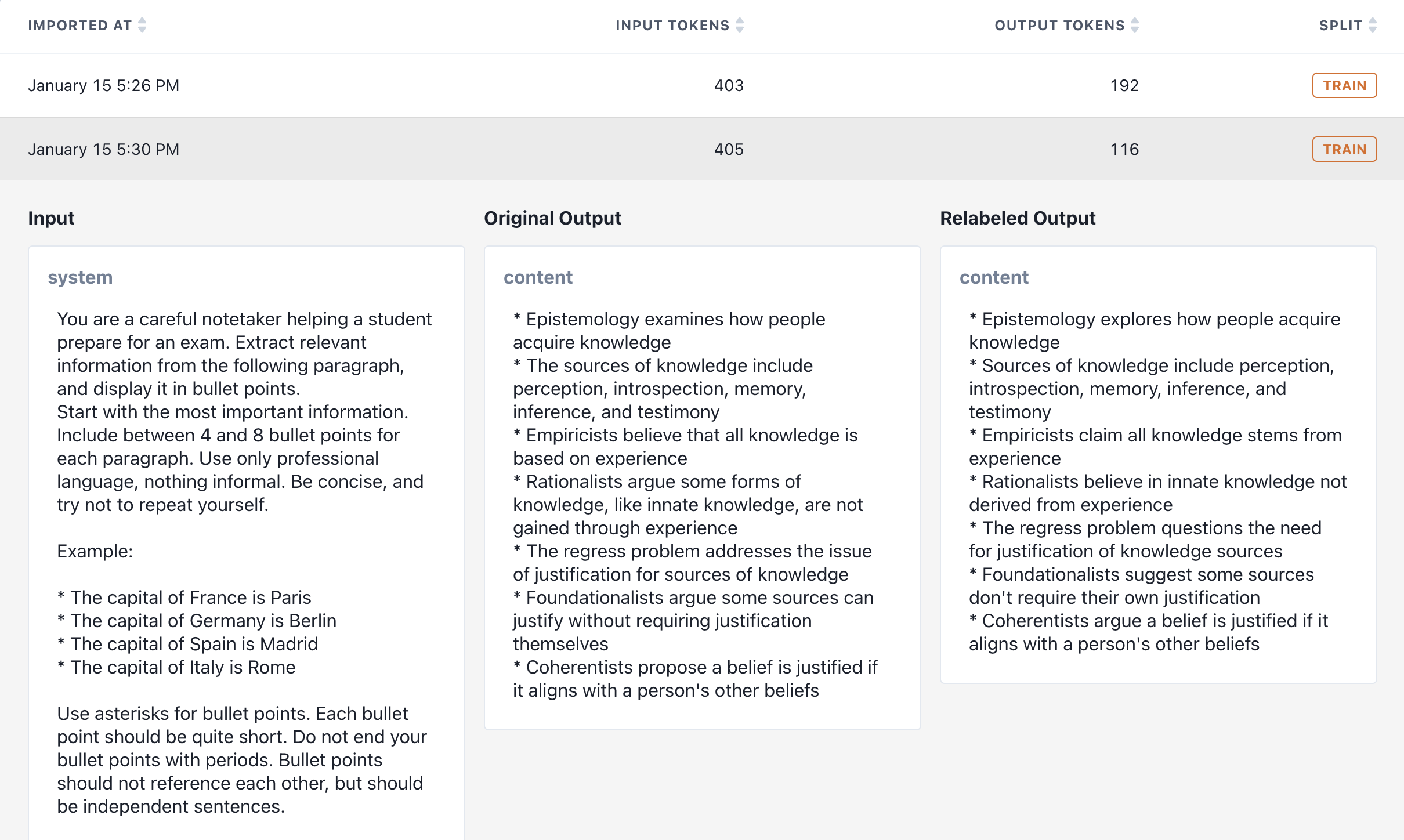
After importing rows from request logs or uploading a JSONL file, you can optionally relabel
each row by sending its messages, tools, and other input parameters to a more powerful model,
which will generate an output to replace your row's existing output. If time or cost constraints prevent
you from using the most powerful model available in production, relabeling offers an opportunity to
optimize the quality of your training data before kicking off a job.
 We provide a number of built-in relabeling options.
Anthropic:
* `claude-3-opus-20240229`
* `claude-sonnet-3-7-20250219`
* `claude-sonnet-3-5-20241022`
OpenAI:
* `gpt-4-5-preview-02-27`
* `o1-2024-12-17`
* `o3-mini-2025-01-31`
* `gpt-4o-2024-08-06`
* `gpt-4o-2024-11-20`
* `gpt-4-turbo-2024-04-09`
* `gpt-4-0125-preview`
* `gpt-4-1106-preview`
* `gpt-4-0613`
Gemini:
* `gemini-2-0-flash`
* `gemini-2-0-pro-exp-02-05`
Meta:
* `meta-llama-3-1-405b-instruct`
DeepSeek:
* `deepseek-v3`
* `deepseek-r1`
We provide a number of built-in relabeling options.
Anthropic:
* `claude-3-opus-20240229`
* `claude-sonnet-3-7-20250219`
* `claude-sonnet-3-5-20241022`
OpenAI:
* `gpt-4-5-preview-02-27`
* `o1-2024-12-17`
* `o3-mini-2025-01-31`
* `gpt-4o-2024-08-06`
* `gpt-4o-2024-11-20`
* `gpt-4-turbo-2024-04-09`
* `gpt-4-0125-preview`
* `gpt-4-1106-preview`
* `gpt-4-0613`
Gemini:
* `gemini-2-0-flash`
* `gemini-2-0-pro-exp-02-05`
Meta:
* `meta-llama-3-1-405b-instruct`
DeepSeek:
* `deepseek-v3`
* `deepseek-r1`