> ## Documentation Index
> Fetch the complete documentation index at: https://docs.openpipe.ai/llms.txt
> Use this file to discover all available pages before exploring further.
# Importing Request Logs
> Search and filter your past LLM requests to inspect your responses and build a training dataset.
Logged requests will be visible on your project's [Request Logs](https://app.openpipe.ai/p/BRZFEx50Pf/request-logs?filterData=%7B%22shown%22%3Atrue%2C%22filters%22%3A%5B%7B%22id%22%3A%221706912835890%22%2C%22field%22%3A%22request%22%2C%22comparator%22%3A%22CONTAINS%22%2C%22value%22%3A%22You+are+an+expert%22%7D%2C%7B%22id%22%3A%221706912850914%22%2C%22field%22%3A%22response%22%2C%22comparator%22%3A%22NOT_CONTAINS%22%2C%22value%22%3A%22As+an+AI+language+model%22%7D%2C%7B%22id%22%3A%221706912861496%22%2C%22field%22%3A%22model%22%2C%22comparator%22%3A%22%3D%22%2C%22value%22%3A%22gpt-4-0613%22%7D%2C%7B%22id%22%3A%221706912870230%22%2C%22field%22%3A%22tags.prompt_id%22%2C%22comparator%22%3A%22CONTAINS%22%2C%22value%22%3A%22redaction%22%7D%5D%7D) page.
You can filter your logs by completionId, model, custom tags, and more to narrow down your results.
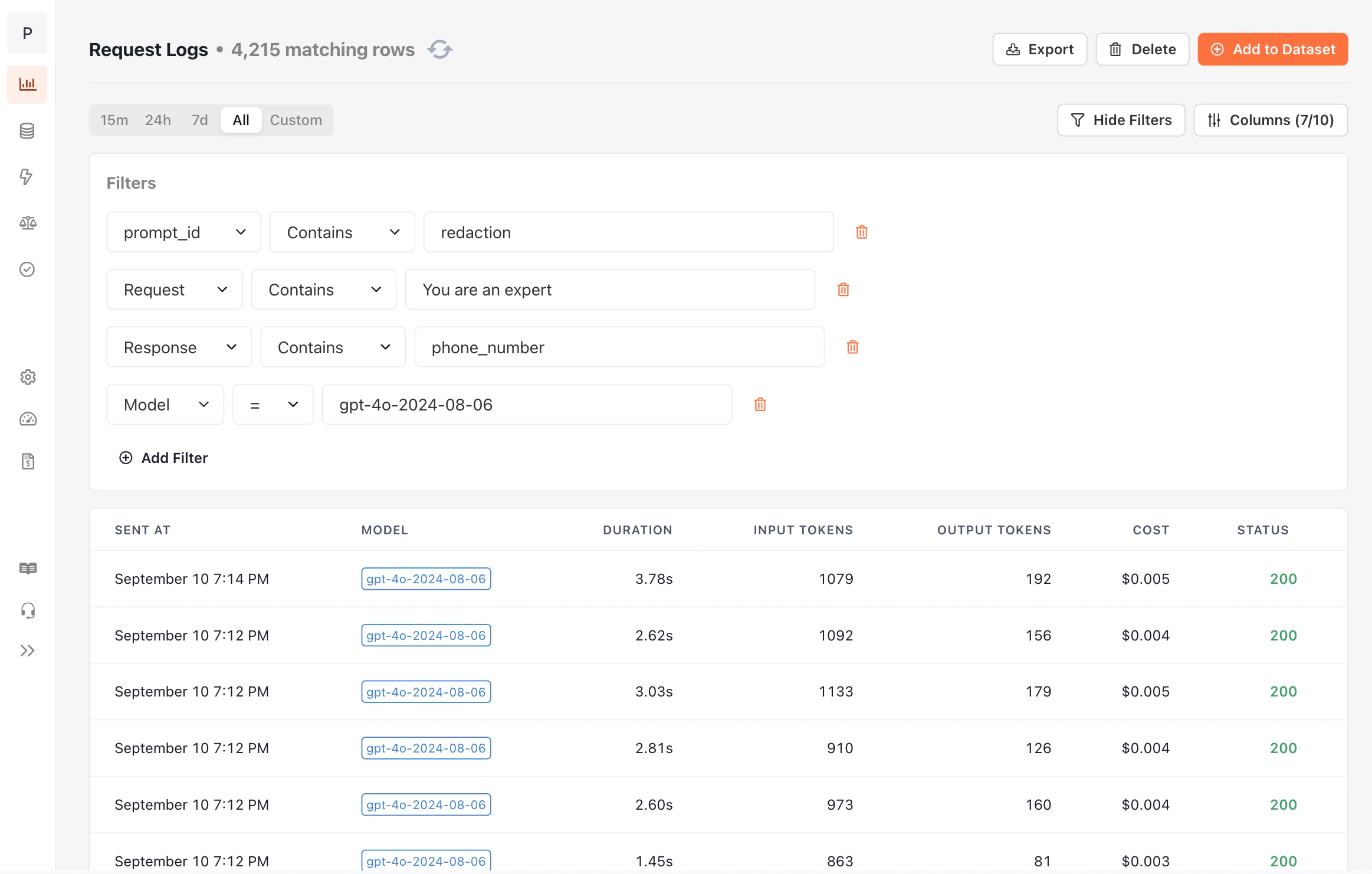 Once you've found a set of data that you'd like to train on, import those logs into the dataset of your choice.
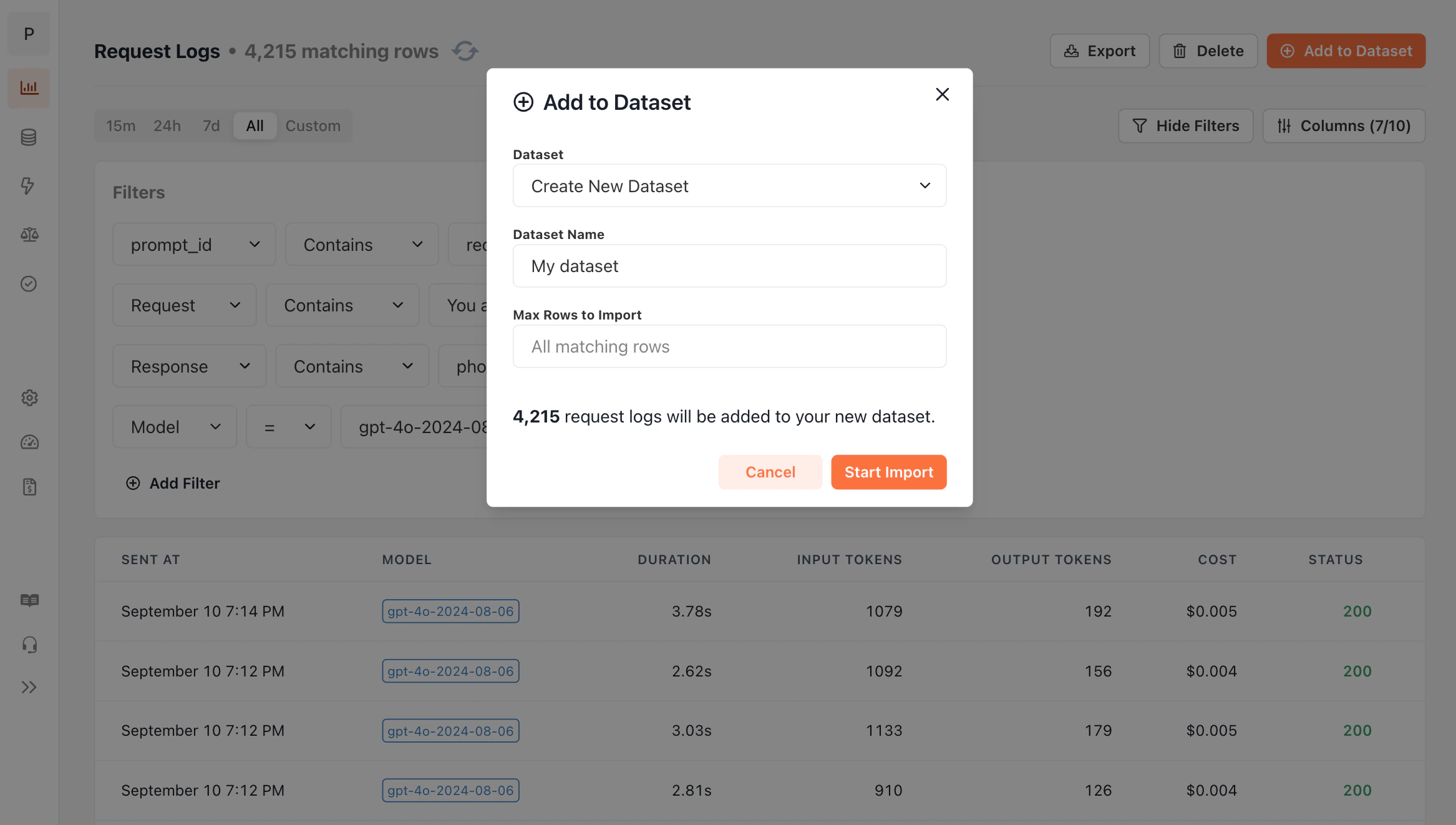 After your data has been saved to your dataset, [kicking off a training job](/features/fine-tuning) is straightforward.